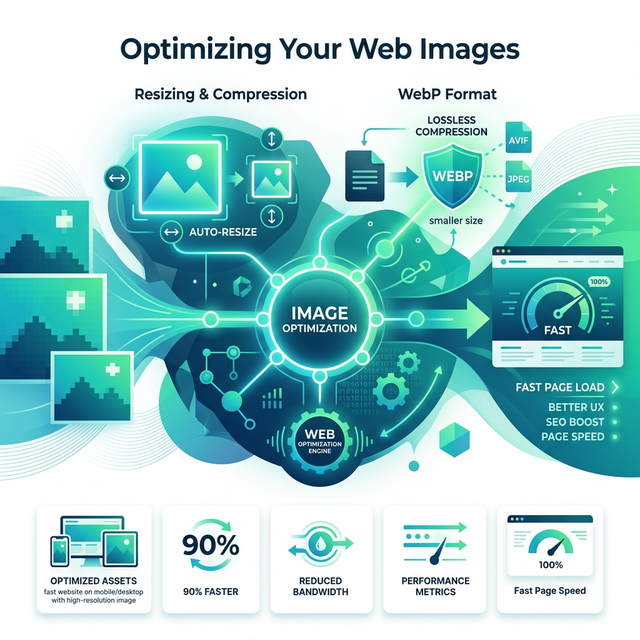
Images fundamentally bring the modern internet to life, but they are also undisputedly the leading cause of incredibly slow page load times online. According to recent strict web performance standards enforced globally, if your embedded images are not correctly optimized, your end users will simply leave out of sheer frustration, and your crucial search engine placement rankings will severely suffer. High-quality images downloaded straight from a consumer smartphone or a professional DSLR camera are incredibly massive—often easily exceeding 10MB per file. This problem deeply matters because web browsers inevitably have to download these massive original files over the cellular network and then forcefully expend battery layout resources dynamically scaling them visually onto the tiny mobile screen.
Quick Solution
If you want to solve this problem instantly and compress your images for the web, you can use our free Image Compressor.
Steps:
- Upload your image file
- Select the target file size or optimized format
- Download the lightweight, web-ready result
Why This Image Optimization Problem Happens
Because digital cameras encode thousands of pixels to provide maximum visual fidelity, these photo files contain immense amounts of invisible metadata and dense color profiles. When website owners directly upload these untouched digital files to a server, they unknowingly force visitors to download massive payloads just to render a tiny visual block on a smartphone screen. This significantly increases average page load times, rapidly depletes user mobile data plans, and aggressively drains battery life. Optimizing visual content is a mandatory web development practice that requires balancing visual fidelity with efficient file size. It involves choosing a modern image format, reducing unnecessary physical dimensions, and selectively compressing the internal payload. Using the right techniques can drastically reduce your website's total file magnitude.
Step-by-Step Guide
Step 1 – Open the compression tool
Before optimizing, ensure you have correctly identified the required target size for your specific visual asset. Navigate over to the web-based image compressor and prepare your high-resolution original picture for local processing.
Step 2 – Upload your file
Upload your massive uncompressed picture directly into the browser. Selecting it directly from your computer or phone ensures that the image is securely verified before the local compression algorithms actually begin to execute.
Step 3 – Adjust settings if needed
Choose the superior WebP formatting option and specify an aggressive yet safe compression variable. A WebP formatted file is frequently significantly smaller than a comparable legacy JPEG document and provides far better internet delivery capabilities. Furthermore, if you are strictly managing exact specific dimensions for a blog layout grid or a Facebook social post, utilizing an Image Resizer beforehand is highly recommended.
Step 4 – Download the optimized result
Once the deep compression logic successfully executes entirely inside your personal local browser space, seamlessly download the newly lightweight file. You can now confidently upload this optimized visual to your web server for vastly improved site performance.
Common Practical Use Cases
Properly optimizing visual assets is absolutely critical across the entire internet landscape. From independent creators to enterprise storefronts, thoughtfully minimizing your website image payload prevents disastrously high bounce rates.
- Blog Posts & Extended Articles: Squashing massive hero header banner visuals significantly ensures your text-heavy articles will predictably load instantly. This approach will naturally improve your critical Google Core Web Vitals rankings and metrics.
- E-commerce Retail Stores: Formatting varied product showcase photos into exact consistent cropped visual squares ensures the store grid uniformly aligns perfectly while concurrently keeping checkout shopping pages extremely fast and reliable.
- Professional Portfolio Websites: Delivering high-resolution photography efficiently across the network without accidentally hitting expensive web hosting bandwidth limits or seriously frustrating mobile tablet users who are simply casually browsing your work.
Essential Tips and Important Notes
When preparing critical layout images that inherently contain mostly stark readable text or highly sharp geometric architectural lines (like a detailed chart or infographic), strongly avoid employing aggressive lossy JPEG compression algorithms. That ancient photo format will predictably introduce noticeably blurry visual artifacts heavily around the delicate alphabetical letters, severely degrading reading clarity. Always stick firmly to PNG or lossless modern WebP exports specifically for these rigid vector-style visual assets. Additionally, if the photo has a messy background that is adding unnecessary file weight, you can trim the fat using a solid Remove Background utility before running the final compression.
Frequently Asked Questions
What is the most recommended image format for a modern website?
WebP is currently broadly considered the optimal format globally for regular websites, reliably offering far smaller transmission file sizes than classic JPEGs without visibly compromising the original high visual quality.
How small should general digital photographs realistically be for blog articles?
As a widely practical general structural rule of thumb, genuinely try to continuously maintain large responsive banner images securely under 200KB, and your standard regular inline paragraph images ideally under 50KB-70KB.
Does a website image file footprint truly noticeably affect standard SEO?
Yes, significantly and measurably. Extremely massive payload images drastically slow down your server page load speed delivery. Internet search engines inherently utilize actual web page rendering speed as a massive primary ranking variable.
Can I effectively compress internal website images without losing visual quality?
Yes, you can absolutely use standard lossless compression formats to mathematically reduce the total file size efficiently, or apply subtle lossy compression which intelligently removes pixel data that the human eye cannot even detect.
Related Tools
Comments
Loading comments…