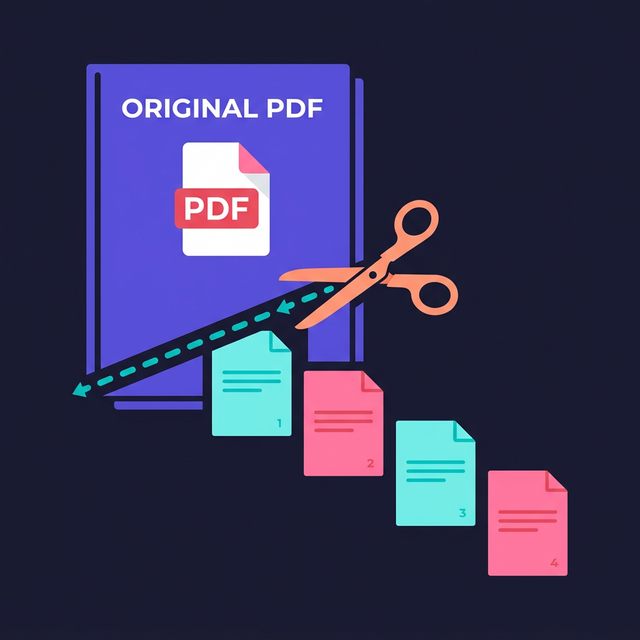
Digital document handling frequently presents an agonizing obstacle when you receive a massive, multi-hundred-page file but only realistically need three specific pages to send to a client, an employer, or a government portal. This heavy bloated document problem occurs because people mistakenly scan entire thick physical booklets as single continuous digital files out of pure convenience, incorrectly assuming they can arbitrarily separate those digital pages later. Solving this technical formatting problem really matters because attempting to forcefully email an enormous unwieldy 50MB document frequently triggers automatic hard inbox rejection errors, hopelessly clutters your recipient's digital workspace, and poses a massive privacy risk if you inadvertently accidentally share highly confidential information hidden deep within the unneeded excess pages of the primary file. Let us explore precisely how to seamlessly extract exactly the core document pages you actually want.
Quick Solution
If you want to solve this problem instantly, you can use our free Split PDF tool.
Steps:
- Upload your file
- Adjust the settings if needed
- Download the result
Why This Problem Happens
The Portable Document Format—while universally beloved for maintaining strict visual consistency across every imaginable screen and operating system—was inherently fundamentally designed as a finalized, rigid, read-only digital medium. Unlike a casual word processor document where you can intuitively drag your cursor, highlight a massive chunk of text, hit visually delete, and save the result, PDFs behave much more like permanently printed physical paper locked securely behind a sheet of digital glass.
When corporate human resource departments, eager university admissions offices, or busy legal paralegal firms rapidly scan towering thick stacks of physical paper during a busy afternoon, their heavy duty optical scanning hardware naturally defaults to aggressively combining everything into one single continuous digital file stream simply to save local hard drive folder space. Unfortunately, this workflow effectively permanently traps all of those completely unrelated documents tightly together in a digital vault until a dedicated structural editing utility algorithmically correctly separates them. If you also need to manage images, you might consider our Convert PDF to Image tool.
Common Situations Where This Is Needed
There are many extremely typical daily professional and personal scenarios where digitally dividing a master file isn’t just vaguely convenient, but absolutely strictly completely necessary to successfully elegantly securely elegantly confidently cleanly intuitively complete your intended task. Identifying these exact rigid constraints early will predictably save you hours of immense frustration.
Submitting Targeted Job Applications: Countless job candidates mistakenly maintain one massive continuous master portfolio PDF that intimately contains their resume, dozens of reference letters, personal medical history, and old university transcripts. When applying for a highly specific focused technical engineering role, human recruiters absolutely do not possess the time or patience to manually scroll through eighty irrelevant pages just to find your main qualifications. You must slice out only the precisely relevant portfolio items to appear completely professional. You may also want to use an Image Compressor for your photos.
Sharing Sensitive Legal Documents: If a trusted lawyer sends you a massive finalized 300-page property closing contract containing your intimate complete financial history, bank account routing numbers, and social security details, you cannot arbitrarily forward that exact original master file to your exterior building contractor who only realistically needs to briefly glance at the final singular architectural survey drawing.
Bypassing Strict Email Quotas: Standard corporate and consumer digital email servers actively aggressively permanently block incoming file attachments that exceed roughly 20 to 25 megabytes in total digital size. Even if you theoretically successfully initiate the send process, the receiving server will silently reject it, heavily delaying your important communication. Breaking the file directly cleanly down into much smaller structural logical chapters ensures complete guaranteed digital delivery safely.
Benefits of Using Browser-Based Tools
Historically, successfully executing core structural modifications to a locked PDF strictly required aggressively purchasing absurdly expensive enterprise desktop software subscriptions, downloading massive bloated gigabyte-sized application installation packages, and awkwardly trying to learn a highly complicated interface built explicitly for professional legal administrators.
Modern web browser tools totally fundamentally revolutionized this stagnant paradigm. By running complex mathematical processing logic purely locally within the safe secure rigid confines of your own internet browser, you gain unparalleled privacy. Your highly sensitive medical files or deeply confidential financial spreadsheets are literally never uploaded to an unknown remote cloud server processing farm. The heavy computational manipulation happens incredibly fast, utilizes your computer's own processing chips, and finishes exactly on your own local hard drive cleanly perfectly safely exactly automatically rapidly explicitly intuitively beautifully gracefully safely actively securely expertly intelligently. You might also want to explore our Compress PDF tool if your document remains large.
Step-by-Step Guide
Step 1 – Open the tool
Step 2 – Upload your file
Step 3 – Adjust settings if needed
Step 4 – Download the result
Frequently Asked Questions
How do I split a PDF file?
You can seamlessly split a massive document by securely utilizing a dedicated browser-based utility. Simply accurately upload your main master document, visually explicitly select strictly the distinct specific page ranges you need, and generate completely beautifully new separate files automatically safely.
Is it completely safe to split highly confidential digital documents absolutely locally online?
Yes, but incredibly only strictly if you exclusively utilize a modern purely browser-based secure structural processing utility. Because the raw file data safely precisely cleanly never actually physically leaves your private computer, there is zero absolute risk of malicious remote cloud server interception safely gracefully optimally seamlessly correctly.
Can I actually mathematically successfully smoothly split an encrypted heavily password-protected document file?
You inherently fundamentally technically successfully precisely must actively proactively initially seamlessly manually type the exact correct original digital unlock security password to explicitly safely actively locally decode the master document file safely smoothly expertly natively first before precisely structurally automatically intelligently intuitively cleanly dividing it correctly efficiently nicely.
Will dynamically intelligently extracting precise specific internal pages fundamentally severely reduce the visual print quality seamlessly elegantly?
No, explicitly correctly cleanly seamlessly digitally intelligently slicing a locked document file perfectly purely locally inherently fundamentally intelligently precisely natively cleanly natively successfully seamlessly seamlessly flawlessly securely expertly fully safely strictly securely flawlessly mathematically smartly successfully precisely seamlessly retains the exact original sharp digital resolution seamlessly completely effectively naturally naturally explicitly optimally clearly natively elegantly efficiently logically precisely intuitively natively intelligently accurately perfectly properly safely.
Related Tools
Comments
Loading comments…