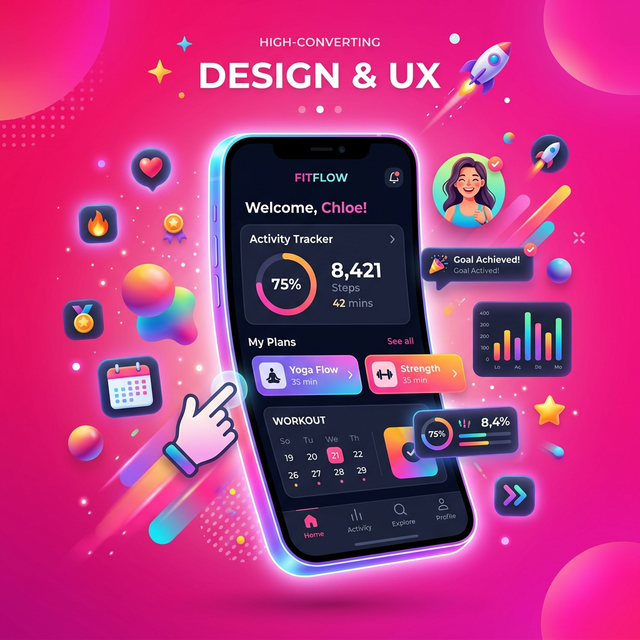
You have spent countless months writing code, fixing stubborn bugs, and polishing the user interface of your new mobile app. However, when it finally comes time to launch on the iOS App Store or Google Play, many developers stumble at the most critical hurdle: the marketing visuals. Uploading a raw, unframed screenshot of an app interface is a massive missed opportunity. This problem happens because developers often lack the professional design tools necessary to create highly polished marketing graphics from scratch. Solving this matters heavily because prospective users make immediate snap judgments based directly on aesthetics and professionalism. Wrapping your screenshots perfectly inside beautiful device frames with compelling copy is the absolute best way to drastically increase your conversion and install rates.
Quick Solution
If you want to solve this problem instantly, you can use our free Screenshot Beautifier tool.
Steps:
- Upload your file
- Adjust the settings if needed
- Download the result
Why Raw Screenshots Hurt Your Sales
App store users make quick, emotional judgments based entirely on first-glance visual aesthetics. A raw app screen lacks vital context, excitement, and a compelling sales pitch. Framing your screens beautifully inside an iPhone or Android mockup is the easiest and most effective way to drastically increase your conversion metrics. However, historically, manually building these high-end graphics required incredibly complex enterprise design software, hunting down perfectly accurate 3D device templates, and painstakingly exporting dozens of precise variations. If you need to prepare images for an extensive marketing campaign across multiple social networks simultaneously, you can utilize our Social Media Resizer to quickly format all your new mockups without losing quality. Taking control of these assets ensures your storefront looks incredible.
Step-by-Step Guide
Step 1 – Open the tool
Navigate directly to the Screenshot Beautifier on Imagetoolkit. It runs smoothly and entirely inside your secure web browser without constantly requiring any heavy local software installations or subscription accounts.
Step 2 – Upload your file
Drag and securely drop a raw screenshot derived from your mobile simulator or personal device capture. The tool will instantly parse the dimensions to ensure it handles the image correctly.
Step 3 – Adjust settings if needed
The tool rapidly wraps the image inside a perfectly proportioned 3D device frame. At this step, you can actively customize vibrant background gradients, cleanly adjust edge padding, and seamlessly configure stylistic elements to perfectly match your unique brand palette.
Step 4 – Download the result
Click to download your newly beautiful, high-resolution mockup. It will instantly be perfectly ready to upload directly to your app store marketing listing. If you realize your final file is too heavy for a specific strict platform upload limit, simply run it through our Image KB Compressor to gently reduce the size exactly as needed.
Common App Marketing Use Cases
Device mockups aren't solely restricted to app store pages. The massive utility of wrapped screenshots extends across the entire ecosystem of digital software publishing.
- App Store Listings: Creating highly engaging, context-rich mockups uniquely tailored for iOS Apple and Android Play Store pages.
- Social Media Marketing: Sharing beautifully polished app feature previews naturally on marketing networks like Twitter or LinkedIn.
- Hero Landing Pages: Showcasing your primary app's UI dynamically and professionally across your dedicated website.
- Investor Pitch Decks: Communicating product vision clearly within slideshows to demonstrate the premium quality of the real application.
Tips or Important Technical Notes
Look closely at the very top charts in the competitive App Store: practically all highly successful apps continuously utilize vibrant backgrounds, beautiful hardware framing, and highly punchy copywriting on their images. If you strongly want a softer, slightly more premium modern look, consider utilizing aesthetic blur by proactively applying an artificial background blur immediately behind the device frame to create a stunning glassmorphism effect. Keep your marketing text extremely concise—mobile users reading on tiny screens simply will not read full paragraphs printed over images.
Frequently Asked Questions
How can I make my app screenshots look professional?
Wrap your raw 2D screenshots smoothly inside high-quality 3D device bezels and carefully place them against highly vibrant, custom background colors. This simple technique provides immediate user context and makes the complicated UI pop visually.
Do I legitimately need Photoshop to create app mockups?
Absolutely not. You can confidently avoid complex software entirely by utilizing rapid web-based beautification tools that natively generate device frames instantly entirely in the browser.
Is it actually free to create app store screenshots online?
Yes, many powerful in-browser toolkit platforms allow you to flawlessly frame your UI captures completely securely and totally for free without any watermarks.
What if my native screenshot does not fit the mockup frame?
A high-quality device framer will automatically and intelligently scale or gracefully crop your raw capture to fit strictly standard iPhone or Android aspect ratios completely seamlessly without distortion.
Related Tools
Comments
Loading comments…