If there's one platform where high-quality visuals absolutely matter, it's Instagram. However, as the platform has evolved significantly over the years, the best image size for Instagram posts has also shifted. What used to be a strictly square-photo app now heavily favors vertical portraits, Reels, and immersive Stories.
Uploading an image with the wrong dimensions means Instagram will automatically crop your photo—potentially cutting off crucial details or ruining your carefully planned composition. Worse, their compression algorithm might kick in, degrading your image quality and leaving it looking blurry or pixelated. To stop losing engagement to bad crops and compression, here is the definitive 2026 guide to Instagram image sizes.
The Optimal Image Sizes for Instagram in 2026
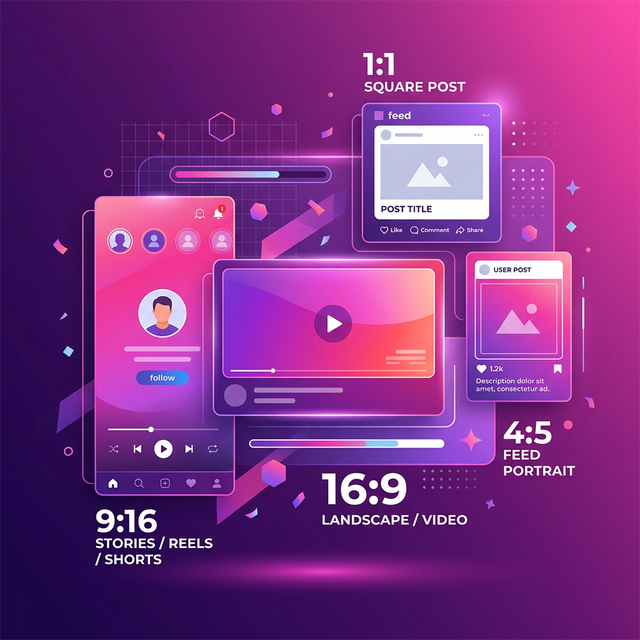
1. Instagram Portrait Posts (4:5 Ratio) — The Gold Standard
Optimal Size: 1080 x 1350 pixels
If you want to maximize engagement, portrait orientation is the absolute best format for Instagram posts in 2026. Why? Because a 4:5 vertical image takes up the maximum allowable screen real estate on a mobile device. When active users scroll through their feed, your portrait post commands full attention, leaving less room for the next post to distract them.
2. Instagram Square Posts (1:1 Ratio) — The Classic
Optimal Size: 1080 x 1080 pixels
The classic 1:1 square is what Instagram was built on. While portrait posts perform better for feed real estate, square posts are still incredibly popular, especially for grid planning. Your profile grid only displays square crops, so posting in 1:1 guarantees that your image will look exactly the same in the feed as it does on your profile grid.
3. Instagram Landscape Posts (1.91:1 Ratio)
Optimal Size: 1080 x 566 pixels
Landscape posts are generally not recommended for Instagram unless absolutely necessary (like for panoramic photography). They take up very little vertical space, meaning users scroll right past them incredibly fast. If you must post landscape, stick to 1080 x 566px to retain the best quality.
4. Instagram Stories & Reels (9:16 Ratio)
Optimal Size: 1080 x 1920 pixels
Stories and Reels dominate the platform. For these full-screen, highly immersive experiences, your images and videos need to accurately hit the 9:16 aspect ratio at 1080 x 1920 pixels. Be aware of the "safe zones"—leave the top and bottom 250 pixels free of crucial text so it isn't covered by the Instagram UI elements (profile icon, comment boxes, etc.).
How to Stop Instagram from Ruining Image Quality
Instagram compresses almost everything you upload to save server space. However, you can significantly mitigate this quality loss by following a few strict rules:
- Never upload images wider than 1080px: If you upload a 4K image (e.g., 3840px wide), Instagram's brutal backend compression will dramatically crush the file, introducing severe banding and blur. Pre-resize your images to a maximum width of 1080px.
- Keep files under 1MB if possible: Compress your images locally before uploading.
- Turn on "Upload at Highest Quality": In the Instagram app settings, navigate to Settings > Data Usage and Media Quality, and toggle on "Upload at highest quality".
Easy Ways to Resize Your Images Perfectly
You don't need Photoshop to hit these exact dimensions. You can use our free browser-based Social Media Resizer to quickly crop and frame your original high-resolution photos into perfect Instagram Portraits (1080x1350) or Squares (1080x1080) in seconds.
Once perfectly cropped, run them through our Image Compressor to keep the visual fidelity sharp before you upload. By preparing your assets carefully before opening the Instagram app, you take complete control of your brand's visual presentation.
Related Tools
Comments
Loading comments…